Website Redesign Checklist: When to Redesign and How to Keep Your Rankings
When a website needs a redesign, how search traffic gets lost in one, and the four-part checklist that keeps your rankings through launch.
 Clay Johnston · 9 min read
The short version
- There’s no rule that says redesign every two or three years. Orbit Media measured an average of 2 years and 1 month between redesigns for top marketing brands, and 6 years and 4 months for its own clients. Redesign when you have a reason. The calendar isn’t one.
- Most of the search traffic lost in a redesign comes from three things: URLs that changed with no redirect, content that got cut, and a “don’t index this site” setting left on from the test site.
- Google says 301 redirects don’t cause a loss in PageRank. It also says to keep them for at least 1 year.
- After launch, Google says a small to medium site can take a few weeks for most pages to move over. Some bouncing around in the rankings during that time is normal.
- The checklist below has four parts: before you start, during the build, launch day, and the 30 days after.
Your website looks like 2017. The phone version is hard to use, and nobody on staff wants to touch the editor. You know it needs a redesign.
But the old site ranks. It’s ugly, and it still brings in leads from Google every week. You’ve heard about the company that launched a beautiful new site and watched its traffic fall by half.
Yep…that happens. It’s also almost always preventable. Here’s when to redesign, what goes wrong, and the checklist we work from so the rankings come along to the new site.
How often should you redesign your website?
You’ll see “every two to three years” all over the Internets. Nobody can point to where that number came from.
The measured numbers are all over the place. Orbit Media, a Chicago web agency, looked at top marketing brands and found an average of 2 years and 1 month between redesigns. Then it looked at its own clients and found 6 years and 4 months.
Clutch surveyed 406 US small business owners in August 2025. 81% had redesigned their site at least once, and 58% listed a full redesign or visual refresh among the improvements they’re prioritizing.
So somewhere between 2 and 6 years. Not much help, right? Skip the calendar and ask if you have a reason.
Nielsen Norman Group, a user experience research firm, says to default to small, steady improvements. It says a full redesign makes sense when small fixes have stopped paying off, the technology is outdated, the site structure is a tangle, or conversions are very low across the whole site. Its advice: only go to a complete redesign if the data tells you to.
Do you need a redesign or a refresh?
A refresh keeps the same site and updates the look: new colors, new type, new photos, a better homepage. A redesign rebuilds the site, usually with new templates, new page structure, and sometimes a new platform.
These point to a redesign:
- It’s slow and you can’t fix it. Google measures three things it calls Core Web Vitals: how fast the main content shows up (2.5 seconds or less is good), how fast the page reacts when you tap something (200 milliseconds or less), and how much the layout jumps around while loading. The 2025 Web Almanac found only 48% of mobile sites pass all three.
- It fails basic accessibility checks. WebAIM tested one million home pages in February 2026 and found accessibility failures on 95.9% of them, with an average of 56.1 errors per page. If your templates are the problem, patching one page at a time won’t get you there. We wrote about that in why accessibility starts on day one.
- The software under it is too old. PHP is the language WordPress runs on. PHP 8.2 stops getting security fixes on December 31, 2026. If your theme or plugins break on anything newer, the site is stuck. WordPress.org’s own numbers show about 14% of WordPress sites still running PHP 7.4, which lost security support in November 2022.
- Your team can’t edit it. Every change needs a developer, or everyone is scared of breaking the homepage.
- The business changed. New services, new audience, a merger. The structure no longer matches what you sell.
If the problem is only that it looks tired, or it’s limited to a few pages, a refresh costs less and carries less risk.
How do you redesign a website without losing SEO?
First, know how the traffic gets lost. The list is short. None of it is about how the new site looks.
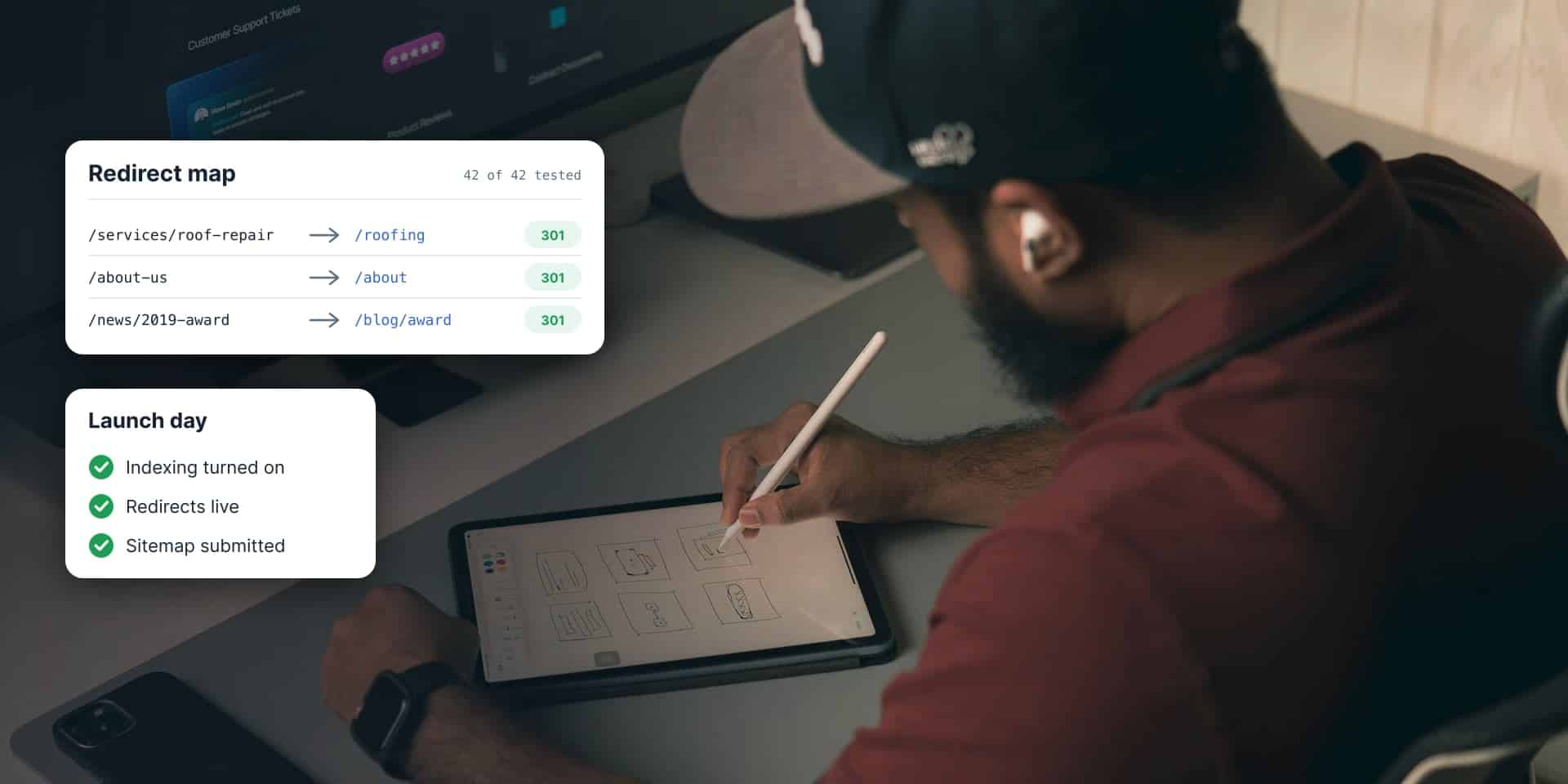
URLs change and nothing points to the new ones. Your services page was /services/roof-repair and now it’s /roofing. Google still has the old address. So does every site that ever linked to you. Without a redirect, all of them hit an error page.
The fix is a 301 redirect, which tells browsers and Google that a page has moved for good and sends them to the new address. Google’s own documentation says 301 redirects don’t cause a loss in PageRank, which is its measure of how much weight your links carry.
Content gets cut. Someone decides the new site should be “cleaner” and 40 pages become 12. Some of those 28 pages were ranking. If a page brings in visitors, keep it or fold its content into another page and redirect it.
Titles and descriptions don’t make the trip. The page title and meta description (the two lines Google shows in search results) often live in an SEO plugin, separate from the page content. A rebuild can leave them behind and nobody notices for a month.
The test site’s “keep out” sign stays on. While a new site is being built, it’s set to tell search engines not to index it. That’s correct. Then launch day comes, the setting comes along to the live site, and Google does what it was told. In WordPress it’s one checkbox under Settings, then Reading. Google says it can take months to come back and notice the setting is gone.
Everyone celebrates the launch. Three weeks later someone asks why the phone stopped ringing.
Internal links break. Links inside your own pages still point at the old addresses. Google says every page you care about needs a link from at least one other page it can find.
The new site is slower. Bigger photos, video backgrounds, more scripts. Core Web Vitals are part of how Google ranks pages.
Structured data and tracking get dropped. Structured data is the hidden markup behind star ratings and FAQ results in Google. Tracking is your analytics and conversion tags. Lose the first and your listings get plainer. Lose the second and you can’t tell if anything else on this list happened.
The website redesign checklist
Before you start
- Export 12 months of organic traffic, leads, and top landing pages from your analytics.
- Export queries and pages from Google Search Console. It’s free, and it shows which searches bring people to which pages.
- Crawl the site and save every URL with its title, meta description, and main heading.
- List the pages that other sites link to and the pages that bring in leads. Those are the ones to protect.
- Write down your Core Web Vitals for the main page types.
- List the structured data, tracking tags, forms, and anything the site connects to, like a CRM or email tool.
- Run an accessibility scan against WCAG 2.2 AA, the current standard.
- Decide what happens to every page: keep, merge, or remove.
During the build
- Put the test site behind a password, or set it to not be indexed. Write down every block you add so you can remove it later.
- Keep URLs the same wherever you can. A URL that doesn’t change can’t break.
- Build a redirect map: one row for every URL that changes or goes away, with the new address next to it.
- Carry over titles, meta descriptions, headings, and body content for the pages you’re keeping.
- Point internal links at the final URLs, not at redirects.
- Add the structured data back and test it with Google’s Rich Results Test.
- Install analytics and conversion tracking, then submit a test form to confirm it records.
- Test on real phones: layout, speed, forms, and keyboard navigation.
Launch day
- Take a full backup of the old site, files and database.
- Remove the indexing blocks and check a few live pages to confirm.
- Turn on the 301 redirects and test every row of the map.
- Submit the new sitemap in Search Console. A sitemap is a file that lists your pages for search engines.
- Inspect your top pages with Search Console’s URL Inspection tool.
- Confirm analytics is getting data and forms are reaching an inbox.
- Note the launch date in your analytics so later reports make sense.
The 30 days after
- Check Search Console for indexing problems and “not found” errors every day for the first week, then weekly.
- Fix any missing page that has traffic or links from other sites.
- Compare traffic, rankings, and leads to your “before” numbers every week.
- Crawl the new site for broken links and redirects that pass through more than one hop.
- Ask the sites that link to you most to update their links.
- Leave the redirects alone. Google says to keep them at least 1 year.
One thing you can skip: Search Console’s Change of Address tool. It’s only for moving to a new domain. A redesign on the same domain doesn’t need it.
How long does a website redesign take?
Nobody has measured this well for small business sites. The closest figure comes from Clutch, which says most web design projects reviewed on its site last 7 months. That covers every kind of web design project, large and small.
The code is rarely what stretches a timeline. Content that isn’t written yet does. So do approvals that sit for two weeks, and features that show up after the design is signed off. A project where the content is ready on day one moves a lot faster.
Then there’s Google’s timeline. After launch, Google says a small to medium site can take a few weeks for most pages to move to the new URLs. Expect rankings to wobble during that stretch and settle afterward.
What does a website redesign cost?
These are market figures from Clutch, a business review site. They are not Sprung’s prices.
- The average web design project reviewed on Clutch cost $38,105.39.
- Most web design projects reviewed on Clutch cost less than $10,000.
- Web design companies on Clutch typically charge $100 to $149 an hour.
Those first two numbers look like they disagree. A handful of very large projects pull the average up, while most projects are small. Clutch’s figures also cover all web design work. Redesigns are only part of it.
What moves the number for your site: how many page layouts need designing, how much content has to be moved or rewritten, what the site connects to, and how much of the checklist above is included. Ask about that last one. A quote that skips the redirect map is cheaper for a reason.
What’s different about a WordPress website redesign?
A few things. Most of them work in your favor.
- You can usually keep your URLs. WordPress lets you set the address of every page and post. If the old site was WordPress too, most addresses can stay exactly as they are.
- Your SEO fields live in a plugin. Export them before the rebuild and import them after.
- That checkbox. Settings, then Reading, then “Discourage search engines from indexing this site.” Make sure it’s unchecked on launch day. Then look again.
- Old page builder content needs cleanup. If the old site was built with a page builder, switching themes can leave leftover code in the content. Plan time to rebuild those pages by hand.
- It’s the right time to update the software. Move to a current PHP version, drop plugins you don’t use, and replace the ones nobody maintains. That work continues after launch. We covered it in what a WordPress maintenance plan includes.
How Sprung handles a redesign
We’ve been rebuilding WordPress sites since 2010, and the checklist above is the one we use.
Before any design work, we audit what you have: which pages rank, which bring in leads, and which can go. We build the redirect map during the project. The night before launch is too late. On launch day we work through the checks in order. Then we watch Search Console with you for the first 30 days and fix what turns up.
We’ll also tell you if you don’t need a redesign. Sometimes a refresh and a few fixes get you there for a lot less.
Thinking about a redesign?
Tell us what’s bugging you about the current site and what it needs to do. We’ll take a look and tell you what we’d keep, what we’d change, and whether it needs a rebuild at all.
See how we build WordPress sites or tell us about your site. We’ll get back to you within one business day.
Frequently asked questions
How often should you redesign your website?
There's no fixed schedule. Orbit Media measured an average of 2 years and 1 month between redesigns for top marketing brands and 6 years and 4 months for its own clients. Redesign when you have a reason: small fixes have stopped paying off, the technology is outdated, the structure is a tangle, or conversions are very low across the site.
How do you redesign a website without losing SEO?
Keep URLs the same where you can, and add a 301 redirect for every URL that changes or goes away. Carry over page titles, meta descriptions, and content for pages that rank. Remove any indexing blocks from the test site at launch, submit a new sitemap in Google Search Console, and watch for errors for 30 days.
Will a website redesign hurt my Google rankings?
It doesn't have to. Google says 301 redirects don't cause a loss in PageRank. Rankings can move around for a few weeks after launch while Google recrawls the site, then settle. Lasting drops usually come from missing redirects, removed content, or a noindex setting left on.
How long does a website redesign take?
It depends on the size of the site and how ready the content is. Clutch says most web design projects reviewed on its site last 7 months, a figure that covers projects of every size. After launch, Google says a small to medium site can take a few weeks for most pages to move to the new URLs.
How long should you keep 301 redirects after a redesign?
Google says to keep redirects for as long as possible, generally at least 1 year. Other sites and old bookmarks may point to the old addresses for much longer, so there's rarely a reason to remove them.
What is the difference between a website redesign and a refresh?
A refresh keeps the same site and updates the look: colors, type, photos, a better homepage. A redesign rebuilds the site with new templates and page structure, and sometimes a new platform. If the problem is only that the site looks tired, a refresh costs less and carries less risk.
How much does a website redesign cost?
Clutch reports an average web design project cost of $38,105.39 across its reviews, and says most reviewed projects cost less than $10,000. Those are market figures for all web design projects, not Sprung Interactive's prices. Cost depends on the number of page layouts, how much content moves, what the site connects to, and whether SEO work like the redirect map is included.
Does Sprung Interactive redesign WordPress websites?
Yes. Sprung Interactive has rebuilt WordPress sites since 2010. Each redesign includes a content audit, a redirect map, launch-day checks, and 30 days of monitoring in Google Search Console after launch.

Written by Clay Johnston
Founder of Sprung Interactive in Minneapolis. Building for the web since 1995 and still answering his own email. More about Clay