Signs Your WordPress Site Was Hacked, and What to Do Next
How to tell if your WordPress site was hacked, what to do in the first hour, how to clean it up, and how to keep it from happening again.
 Clay Johnston · 8 min read
The short version
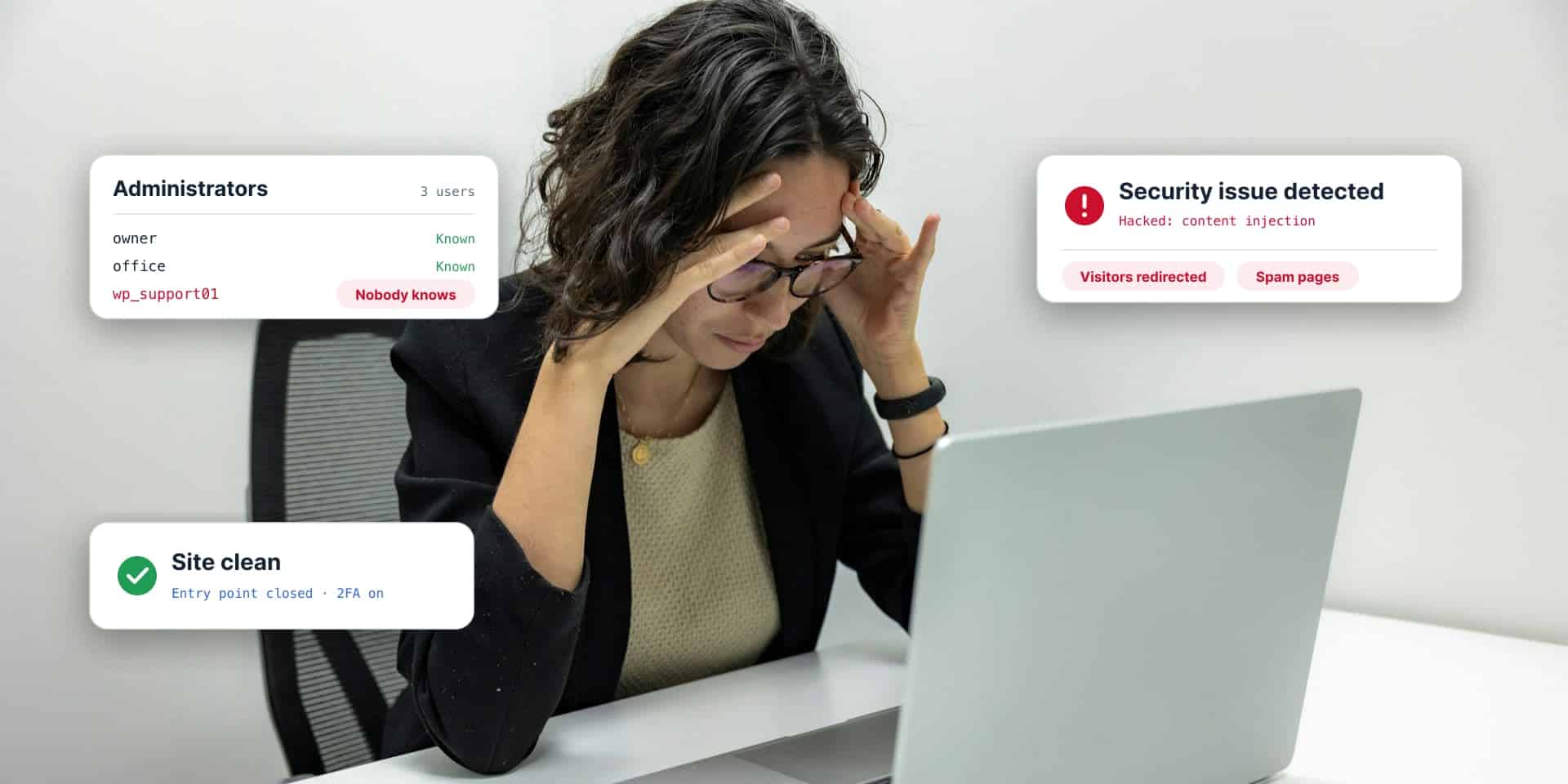
- The common signs of a hacked WordPress site: visitors get sent to another site, Google shows a warning, there are admin users you don’t recognize, or spam pages show up in search results under your name.
- First, save a copy of the hacked site and change every password. Then clean it or restore a backup from before the hack.
- Restoring a backup doesn’t close the hole. You still have to find how they got in.
- Sucuri found at least one backdoor on 49.21% of the hacked sites it cleaned in 2023. A backdoor is hidden code that lets the attacker back in later. Miss it and the site gets hacked again.
- After cleanup, ask Google for a review in Search Console. Google says malware reviews take a few days and spam reviews can take several weeks.
Your site is sending people to a page that sells something you don’t sell. Or Google put a red warning in front of it. Or your host turned it off and sent an email with “malware” in the subject line.
Ok…deep breath. This is fixable. Hacked WordPress sites get cleaned up every day, and most of them come back fine.
Here’s how to tell if your site was hacked, what to do in the first hour, and how to keep it from happening again.
How can you tell if your WordPress site has been hacked?
Some hacks are loud. Most are quiet, because a quiet hack makes money longer. Look for these.
Visitors land somewhere else. They click your link and end up on a scam page, a fake prize, or a pharmacy. It’s also the weird one. The redirect often only fires for people who come from Google, or only on phones. So you type your address in at your desk, everything looks normal, and you figure the customer who called was confused.
Google shows a warning. Chrome puts a full-page red warning in front of your site, or the Security issues report in Google Search Console lists a problem. That report is free, and it’s the first place to look.
There are admin users you don’t recognize. Go to Users in the WordPress dashboard and filter by Administrator. If there’s a name nobody on your team can explain, treat it as a break-in.
Spam pages show up under your name. Search Google for site:yourdomain.com. If you see pages you never wrote, often in Japanese or selling pills, handbags, or casino sites, someone is using your site to rank theirs. This is called SEO spam.
Your host suspends the site. Hosts scan for malware. Some turn a site off first and email you second. They also notice when a site starts sending thousands of emails.
There are files or plugins nobody installed. A plugin you’ve never heard of. PHP files in the uploads folder, which should only hold images and documents. Core WordPress files with a modified date from last Tuesday.
You can’t log in. Your password stopped working, or the admin email on the site changed.
The site got slow, or traffic dropped overnight. By itself this proves nothing. Add it to anything above and it fits.
If your homepage is suddenly selling discount sunglasses and you run a dental office, you can skip the checklist.
What should you do first if your WordPress site is hacked?
Do these in order. Don’t start by deleting things.
- Save a copy of the hacked site. Files and database, as is. It feels backwards. That copy is how you find out how they got in, and you can’t study what you’ve already deleted.
- Tell your host. They may have server logs, their own malware scan, and backups you didn’t know about.
- Change every password. WordPress admin accounts, the hosting account, SFTP (the login used to move files to the server), and the database. Assume all of them are known.
- Remove users who shouldn’t be there. Delete the unknown admins. Go through the real ones too, and drop anyone who has left.
- Log everyone out. WordPress keeps a set of secret keys in its config file. Change them and every logged-in session ends, including the attacker’s.
- Put up a maintenance page if the site is sending visitors somewhere harmful. A plain “back soon” page beats a redirect to a scam.
How do you fix a hacked WordPress site?
Two ways. Both end with the same last step, and that step is the one people skip.
Option 1: restore a clean backup
This is the fastest fix, if you have a backup from before the hack. Not everyone does.
Hacks often sit unnoticed for weeks. Last night’s backup is a backup of the hacked site. You need one from before the first sign of trouble, and you need to check it before you trust it.
You’ll also lose anything added since that backup: orders, form entries, new posts. Export those first.
Option 2: clean the site in place
No clean backup? Then the site gets cleaned by hand.
- Replace WordPress core with a fresh copy from WordPress.org.
- Delete every plugin and theme folder and reinstall each one from its original source. Don’t try to pick the bad lines out of a hacked plugin.
- Go through the uploads folder and remove anything that isn’t media. PHP files don’t belong there.
- Check the two files attackers like most:
wp-config.phpand.htaccess. - Search the database for injected scripts, spam links, and those extra admin users.
- Scan the whole thing again when you’re done.
Then find how they got in
Skip this and the site gets hacked twice.
A restore puts back the same site that got hacked, with the same weakness in it. So open the copy you saved. Check the server logs around the date the first bad file showed up, then compare your plugin versions against known security flaws.
It’s usually one of these:
- An out-of-date plugin or theme. Patchstack, a WordPress security company, counted 11,334 new vulnerabilities (security holes) in 2025, and 91% were in plugins.
- Out-of-date WordPress. In Sucuri’s 2023 report, 39.1% of hacked sites were running an outdated version of their CMS (the software that runs the site, like WordPress) when they got infected.
- A weak or reused password. If the same password got leaked from another service, attackers already have it.
- An old account. A former employee or contractor whose admin login still works.
- A pirated plugin or theme. “Free” copies of paid plugins often ship with malware already inside.
Why does my WordPress site keep getting hacked?
Two reasons cover most repeat hacks.
The cleanup missed a backdoor. A backdoor is a small piece of hidden code that lets the attacker back in whenever they want. Sucuri, a website security company, cleaned 39,594 hacked sites in 2023 and found at least one backdoor on 49.21% of them. Delete the visible spam and miss the backdoor, and they’re back within days.
Fake admin accounts work the same way. Sucuri found malicious WordPress admin users in 55.2% of the infected databases it looked at.
The hole never got closed. The site was cleaned, the vulnerable plugin stayed, and the same automated attack found it again. Attackers don’t pick your site by hand. Bots scan the web for one known flaw. For the flaws attackers go after most, Patchstack measured a median of 5 hours to the first attack attempts.
How do you keep it from happening again?
Once the site is clean, harden it. That’s the security word for making a site harder to break into.
- Update everything. WordPress core, every plugin, every theme. Then keep them updated.
- Delete what you don’t use. Deactivating a plugin isn’t enough. Its files are still on the server.
- Turn on two-factor sign-in. That’s a password plus a code from your phone. Do it for every administrator.
- Limit login attempts. Lock out anyone who guesses wrong a handful of times. Bots will sit there guessing passwords all day.
- Audit your plugins. For each one, ask: do we still need it, and is the developer still updating it? Replace the abandoned ones.
- Add a firewall. A web application firewall blocks known attacks before they reach WordPress.
- Keep backups off the server, and test them. If the server is compromised, a backup sitting on that same server is compromised too.
- Check the user list on a schedule. Once a quarter is a good start.
Most of that list is ongoing work, and it’s what a maintenance plan covers. We wrote about that in what a WordPress maintenance plan includes.
How do you get the Google warning removed?
Clean the site first. Then open the Security issues report in Google Search Console and select Request a review. Say what you found and what you did about it.
Don’t ask early. Google says requesting a review before the problem is fixed can make the next review take longer.
Google’s own estimates for how long a review takes:
- Phishing: about a day
- Malware: a few days
- Sites hacked with spam: up to several weeks
Once a review passes, Google says the warnings in browsers and search results come down within 72 hours.
Should you clean it yourself or hire someone?
If you’re comfortable with SFTP and a database tool, and you have a clean backup, you can do this yourself. Follow the steps above and don’t skip the part about finding how they got in.
Get help if any of these are true:
- You don’t have a backup from before the hack.
- The site takes payments or holds customer data. You may have a legal duty to notify people, and that’s a question for a lawyer.
- It has been hacked more than once.
- Your host suspended the account and wants proof the site is clean.
- You’ve cleaned it and the spam keeps coming back.
How Sprung handles a hacked WordPress site
We clean it up, find how they got in, close the hole, and help you keep it closed.
First we copy the site as we found it, so nothing gets lost. Then we lock down the logins, clean or restore the site, and trace the entry point. You get a plain-English report: what happened, what we fixed, what to do next. No scare tactics.
After that we harden the site: two-factor sign-in, login limits, a plugin audit, and a firewall. If you want someone watching it from then on, that’s what our Site Wellness Service is for.
Think your site was hacked?
Tell us what you’re seeing and where the site is hosted. We’ll take a look and tell you what we find.
See how security audits and hacked site cleanup work, read about hosting and care, or tell us about your site. We’ll get back to you within one business day.
Frequently asked questions
How can I tell if my WordPress site has been hacked?
Common signs are visitors getting redirected to another site, a warning from Google or your browser, admin users nobody recognizes, spam pages showing up in Google under your domain, files or plugins nobody installed, and a suspension notice from your host. Check the Security issues report in Google Search Console and the Users list in WordPress first.
What should I do first if my WordPress site is hacked?
Save a copy of the hacked site, tell your host, and change every password: WordPress admins, hosting, SFTP, and the database. Remove users who shouldn't be there and change the WordPress secret keys to log everyone out. Then clean the site or restore a backup from before the hack.
Will restoring a backup fix a hacked WordPress site?
It removes the malware if the backup is from before the hack, but it doesn't close the hole the attacker used. The restored site has the same weakness. You still need to find the entry point, update or remove the vulnerable software, and change all passwords.
Why does my WordPress site keep getting hacked?
Usually the cleanup missed a backdoor, or the original hole never got closed. A backdoor is hidden code that lets an attacker back in. Sucuri found at least one backdoor on 49.21% of the hacked sites it cleaned in 2023, and malicious WordPress admin users in 55.2% of infected databases.
How do hackers get into WordPress sites?
Most often through an out-of-date plugin or theme. Patchstack counted 11,334 new WordPress vulnerabilities in 2025, and 91% were in plugins. Other common ways in are weak or reused passwords, old accounts that still work, out-of-date WordPress core, and pirated plugins or themes.
How do I remove the Google warning after my site was hacked?
Clean the site completely, then open the Security issues report in Google Search Console and request a review. Google says phishing reviews take about a day, malware reviews take a few days, and reviews for sites hacked with spam can take up to several weeks. Don't request a review before the problem is fixed.
How do I keep my WordPress site from getting hacked again?
Update WordPress core, plugins, and themes and keep them updated. Delete unused plugins, turn on two-factor sign-in for administrators, limit login attempts, add a web application firewall, keep tested backups off the server, and review the user list on a schedule.
Can Sprung Interactive clean up a hacked WordPress site?
Yes. Sprung Interactive cleans up the site, finds how the attacker got in, closes the hole, and hardens the site so it stays closed. You get a plain-English report of what happened and what was fixed.

Written by Clay Johnston
Founder of Sprung Interactive in Minneapolis. Building for the web since 1995 and still answering his own email. More about Clay