How Much Does App Development Cost in 2026?
App development cost runs from about $15,000 for a basic app to $500,000 or more for enterprise software. Here’s what drives the price and how to spend less.
 Clay Johnston · 10 min read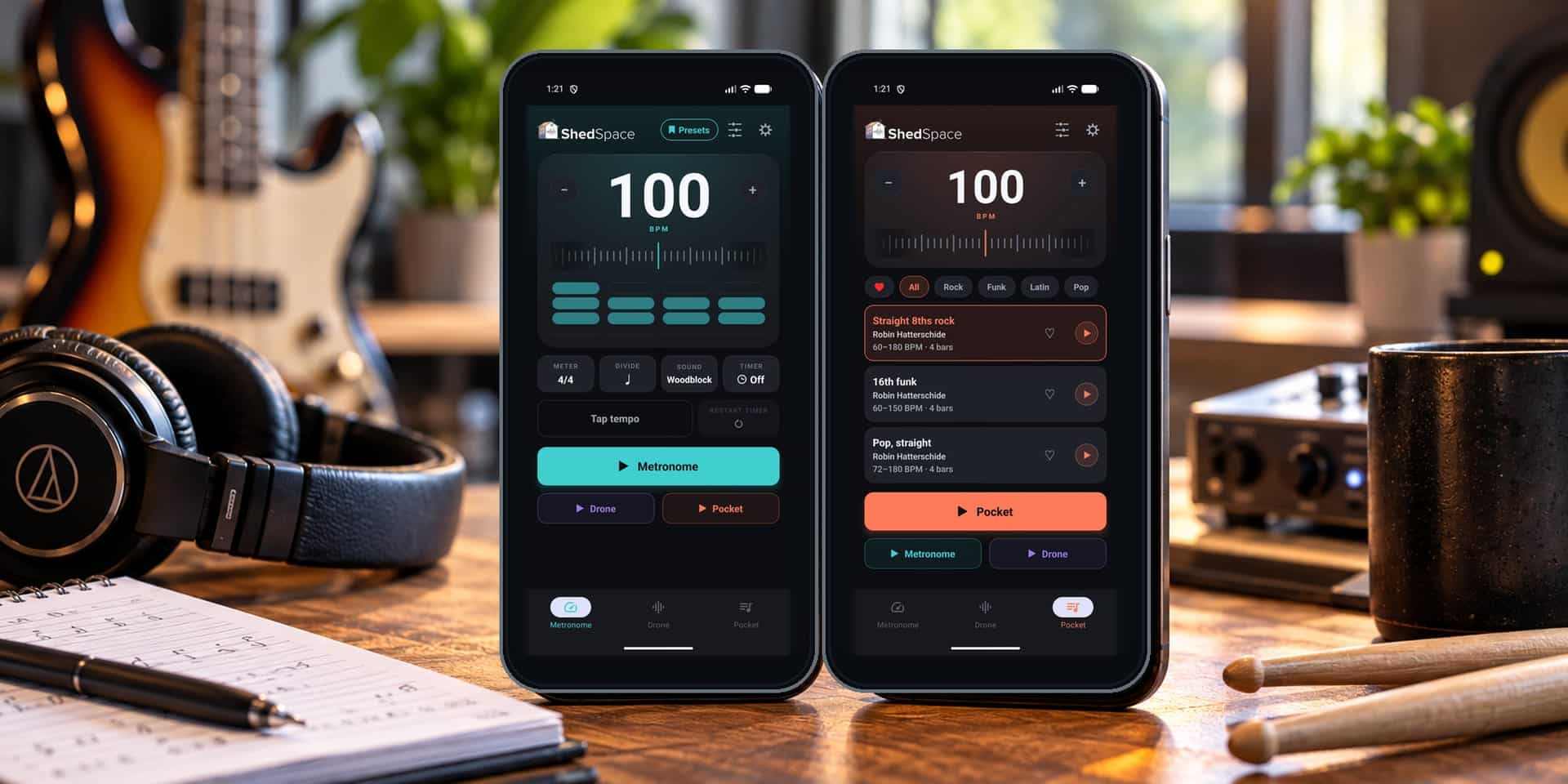
The short version
- Industry research puts app development cost between $15,000 for a basic app and $500,000 or more for enterprise software.
- Features drive the cost. Accounts, payments, real-time data, and connections to other systems add the most work.
- One shared set of code for iOS and Android usually costs less than two separate apps.
- Budget for costs after launch too: hosting, updates, and app store fees.
- Start small. A focused first version keeps the budget down while you test the idea.
App development cost runs from about $15,000 for a basic app to $250,000 or more for a complex one. Enterprise apps can pass $500,000.
Big range, I know. Where your app lands depends on three things: what it does, which phones it runs on, and who builds it.
I started Sprung Interactive in Minneapolis in 2010. We’ve finished more than 400 projects since then, and we build and run apps of our own. So we know where the money goes, which parts get expensive, and where you can save.
How much does it cost to build an app in 2026?
There’s no standard price. Industry research gives you a good starting point, though. GoodFirms’ 2026 mobile app development research (opens in a new tab) lists these typical fixed-price ranges:
| App type | Estimated cost | Typical features |
|---|---|---|
| Basic app | $15,000 to $40,000 | Simple interface, basic accounts, limited features |
| Mid-level app | $40,000 to $120,000 | Custom design, payments, notifications, integrations |
| Advanced app | $100,000 to $250,000+ | Real-time data, messaging, AI features, advanced integrations |
| Enterprise app | $250,000 to $500,000+ | Complex infrastructure, higher security needs, connected systems |

These are industry estimates. They aren’t fixed prices or Sprung Interactive quotes.
Clutch’s 2026 mobile app pricing guide (opens in a new tab) shows the same picture from another angle. Most app projects reviewed on Clutch land between $10,000 and $49,999. The average project, though, costs about $90,780. A smaller number of large projects pull that average up, so the typical range is the better guide to a normal project.
Neither number tells you what your app will cost. Both show something useful: a focused app with clear features doesn’t need a six-figure budget.
What goes into building a mobile app?
More than the screens. Say you want an app where customers create accounts, book appointments, and get reminders. Here’s the work behind it.

It starts with planning. Who uses the app? What problem does it solve, what does it need to store, and how do people move through it? Answer those up front and the estimate gets accurate, and you avoid paying to change things halfway through.
Design comes next: buttons, menus, forms, and how each screen connects. Good design needs no instructions for basic tasks. Then development, in two parts. The front end is the app itself, running on the phone. The back end is the servers and databases behind it, where logins, business rules, and stored data live. That second part is often where costs climb, because anything that saves customer information, takes payments, runs subscriptions, or syncs between devices needs it.
Last comes testing and launch. Someone checks for bugs, accessibility, data security, and how the app behaves on different phones and operating system versions. Then it has to pass Apple’s and Google’s publishing rules.
Every step adds to the bill. It’s why an app with five complex screens can cost more than one with twenty simple ones.
Does an iOS app or an Android app cost more?
Neither, for the same features. iOS apps run on iPhones and iPads. Android apps run on phones and tablets from Samsung, Google, Motorola, and others.
Each platform has its own tools and rules. Android apps often need testing on a wider range of devices, and iOS apps go through Apple’s App Store review. Those differences are small next to the features you build.
The real extra cost shows up when you pay for two separate apps. One for iPhone, one for Android.
Can one app run on both iOS and Android?
Yes, and it’s one of the best ways to cut mobile app development cost.
A native app is built for one platform with that platform’s own tools, so covering iPhone and Android used to mean two apps and two sets of code to maintain. Cross-platform tools such as React Native and Flutter let one set of code run on both. Much of the duplicate work goes away.
| Approach | Advantages | Considerations |
|---|---|---|
| Native iOS | Direct access to Apple-specific features | Android needs a separate build |
| Native Android | Direct access to Android-specific features | iOS needs a separate build |
| Cross-platform | Shared code lowers build and maintenance costs | Some platform-specific work and testing remain |
You still test both versions, handle the quirks of each device, and meet each store’s rules. And some apps still need native code, especially for heavy hardware features or deep operating system access.
We use React Native and Expo, a toolkit built on React Native that makes building and publishing faster, when they fit the project. Our own app, ShedSpace, runs on iPhone, iPad, and Android from one shared set of code. When a project needs native code, we write native code.
Which features increase app development cost?
Features drive most of an estimate. Some cost a lot more than others.
User accounts are a good example. Once people can log in, you need a database, password security, login sessions, and a way to recover a lost account. Social sign-in or different permission levels for different users add more on top.
Payments go further. Charging for your app means a payment provider, subscription management, purchase checks, billing changes, refunds, and the app stores’ own rules for in-app purchases. All of it needs careful testing.
Notifications range from easy to involved. A simple reminder is quick. Notifications driven by user settings, account activity, or live events take real work.
Connecting to another system means working with its API, the set of rules one program uses to send data to another. QuickBooks, Salesforce, HubSpot, and Shopify each have their own, with their own login method, data format, and limits.
Chat, live tracking, and data shared between users are bigger still. The app has to keep everyone in sync and cope when a phone drops its connection. Maps follow the same pattern: showing someone’s location is simple, while tracking deliveries, calculating routes, managing service areas, and updating locations in real time is a much bigger job.
AI features vary the most. Connecting to an existing AI service is manageable. Custom models, heavy document processing, complex AI workflows, or high request volumes cost more, and AI services charge ongoing usage fees on top.
Bottom line: you pay for what the app does. Screen count matters far less.
What does an app cost after launch?
The work keeps going. Apple and Google update their operating systems every year. Outside services change their APIs. Security issues come up, and users find bugs and ask for new features. Your app has to keep working through all of it.
Ongoing costs usually cover hosting, databases, third-party services, security updates, bug fixes, monitoring, and new features. A simple app with light server needs costs little to run. One with thousands of active users, payments, lots of stored data, and several connected systems costs more.
Publishing fees are separate from development. The Apple Developer Program (opens in a new tab) costs $99 per year in the United States, and Google Play Console (opens in a new tab) charges a one-time $25 registration fee. Both stores also take a share when you sell digital products or subscriptions.
A good development partner walks you through those running costs before launch. You should know what it costs to build the app and what it costs to keep it running.
Why do app development estimates vary so much?
Describe the same app to three companies and you might hear $30,000, $75,000, and more than $150,000. Nobody’s necessarily overcharging. The companies are built differently.
Large agencies have whole departments: project managers, account executives, designers, developers, and administrative staff. That helps on big projects that need a lot of coordination. It also shows up in the price, since you pay for the offices and management layers too.
Smaller studios run with less overhead. You often talk directly to the people building your app, communication is faster, and less of the budget goes to managing the project.
Freelancers can charge lower rates, especially for small apps, but you may end up coordinating design, development, testing, launch, and support yourself. Hiring your own team gives you direct control, along with salaries, benefits, equipment, and management.
When you compare proposals, look past the total. Make sure each one covers the same features, testing, code ownership, support after launch, and maintenance. A cheap estimate that leaves out real work can get expensive later.
How Sprung Interactive keeps app costs down
Simple idea: you pay for the development your project needs, without paying for layers of overhead. Sprung Interactive is a Minneapolis software studio with more than 400 projects behind us, for small businesses, start-ups, national brands, and agencies. You can see some of them in our work.
We don’t carry big-agency management or administrative staff. Each project gets a team sized to it, drawn from senior developers we’ve worked with for years, and you work directly with me, Clay Johnston, from the first call through launch and support. For a lot of projects, that adds up to a lower app development cost than a large agency would quote.
We also build and run our own software: ShedSpace, TrackRate, ChartSpace, and ScaleSpace, with Know the Tune coming soon. ShedSpace is a practice app for musicians, with a practice log, a metronome, drone tones, and recorded drum grooves, on the web, iPhone, iPad, and Android. Building it meant handling the same things our clients deal with: design, development, subscriptions, testing, app store review, and ongoing updates. You can see them all on our apps page.
The big lesson from running our own apps? The right features beat a long feature list.
Talking directly to the person running your project means fewer misunderstandings and faster decisions. We pick tools for what your app needs. Every project covers planning, design, development, testing, and launch, with a 90-day warranty: bugs in our code fixed at no cost. Once the project is paid in full, the code and data are yours. More on our mobile app development and custom web app development.
We won’t always be the lowest bid, and a small studio isn’t the right fit for every app. If you want experienced developers without big-agency overhead, we’re worth a call.
How can you lower your app development cost?
Start with a minimum viable product, or MVP: a first version with only the features it takes to solve the main problem. Say you’re building an appointment app. The full idea has online booking, customer profiles, payments, reminders, staff scheduling, reports, and an accounting connection. You could build all of it at once. Or launch with accounts, availability, and basic booking, and test the idea before you pay for everything else.
Then let real use guide the rest. Once people use your app, you find out what they need. Some features matter more than you expected, and some barely get touched.
Use existing services where you can. Logins, payments, databases, and notifications all have ready-made services. They save development time. Check their monthly fees and limits first.
Ask whether you need a mobile app at all. Sometimes a website or web app does the job. If you don’t need the app stores, advanced phone features, or daily use on a phone, a web app may cost less. Have that conversation before you commit to iOS or Android.
And decide early. Changes in the middle of a build are expensive, and decisions made up front let developers estimate accurately. Clear planning is one of the best ways to control app development cost.
How do you get an accurate app development estimate?
You don’t need a full technical spec for the first conversation. It helps to know what problem the app solves, who will use it, and which features matter most. Know whether it runs on iOS, Android, or both, and which systems it needs to connect to. If you’ve seen apps that work in a similar way, bring those too.
Share your budget. Some people hold it back because they worry the developer will just quote that number. An honest budget helps a developer recommend what’s practical. If your budget is $20,000 and your feature list needs much more, a good developer can suggest a smaller first version.
A good estimate explains the features, the approach, the timeline, and what the price includes. It also names ongoing costs and any big unknowns. You should know what you’re buying before work starts.
Have an app idea? Find out what it would cost.
Send it over. We’ll talk through what the app needs to do, which phones it has to run on, and where the cost comes from. Then you get a written estimate.
Worst case, you get a straight answer, and I get to talk about apps with someone besides my family.
Tell us about your app idea, and we’ll put together a realistic estimate.
Frequently asked questions
How much does it cost to create an iPhone app?
About $15,000 to $40,000 for a basic custom iPhone app, based on GoodFirms' 2026 industry ranges. Add payments, real-time features, or many integrations and it costs more. The features you need set the final cost.
Does an Android app cost more than an iPhone app?
No. For the same features, Android and iPhone apps cost about the same. Device testing, back-end work, and integrations move the estimate more than the platform does.
Is it cheaper to build one app for both iOS and Android?
Usually, yes. Cross-platform tools such as React Native and Flutter let one set of code run on both, which cuts much of the duplicate work of two native apps. Some platform-specific work and testing remain.
Can I build an app for less than $10,000?
Sometimes. A simple prototype, a very limited app, or something built on existing tools can fit that budget. A custom app with a back end, integrations, and an app store launch usually costs more.
How long does it take to build a mobile app?
At Sprung Interactive, a focused first version usually takes 6 to 10 weeks, plus a few days for app store review. Larger apps take longer, depending on features and integrations.
Do I have to pay Apple and Google to publish an app?
Yes. The Apple Developer Program costs $99 a year in the United States. Google Play Console charges a one-time $25 registration fee. Both stores also take a share of digital sales and subscriptions.
How much does it cost to maintain an app?
It depends on hosting, user activity, integrations, security needs, operating system updates, and new features. A simple app with light server needs costs little to run. A busy app with payments and integrations costs more.

Written by Clay Johnston
Founder of Sprung Interactive in Minneapolis. Building for the web since 1995 and still answering his own email. More about Clay